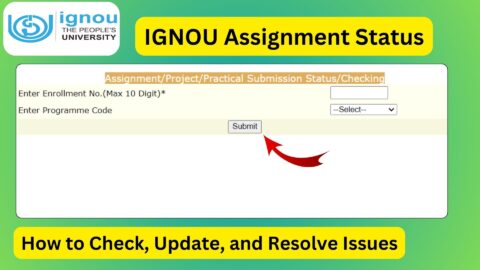
IGNOU Assignment Status: Assignments are an essential part of the evaluation process at Indira Gandhi National Open University (IGNOU). Every student enrolled in a certificate, diploma, undergraduate, postgraduate, or professional programme must submit assignments before appearing in the Term-End Examination (TEE). After submission, students often want to know whether their assignments have been received, evaluated, and whether the marks have been uploaded.
The IGNOU Assignment Status portal allows students to track the progress of their submitted assignments online. By checking the status regularly, students can confirm that their assignments have been successfully recorded and processed by the university.
In this article, you will learn everything about the IGNOU Assignment Status, including how to check it, what different status messages mean, common issues, and frequently asked questions.
What is IGNOU Assignment Status?
IGNOU Assignment Status is an online facility that allows students to verify whether their assignments have been received and processed by the university. Once assignments are submitted at the study centre or regional centre, the details are uploaded to the IGNOU system.
The assignment status page generally displays information such as:
- Enrollment Number
- Programme Code
- Course Code
- Assignment Submission Status
- Marks Update Status
- Processing Status
Students should check their assignment status periodically until all submitted courses are updated.
Important Links and Information
| Particular | Details |
|---|---|
| Article Topic | IGNOU Assignment Status |
| University | Indira Gandhi National Open University (IGNOU) |
| Purpose | Check Assignment Submission Status |
| Mode | Online |
| Required Details | Enrollment Number and Programme Code |
| Official Assignment Status Portal | https://isms.ignou.ac.in/changeadmdata/StatusAssignment.asp |
| Applicable For | All IGNOU Students |
| Status Availability | After assignment data is uploaded by IGNOU |
| Official Website | https://www.ignou.ac.in |
Why is Checking IGNOU Assignment Status Important?
Checking the assignment status helps students ensure that:
- Their assignments have been successfully received.
- Assignment records are available in the IGNOU database.
- Evaluation is in progress.
- Assignment marks have been uploaded.
- There are no missing subjects.
- They are eligible for the final result after completing all evaluation requirements.
Students should not wait until the declaration of results to verify assignment records.
Direct Link to Check IGNOU Assignment Status
Students can check their assignment status using the official IGNOU portal below:
Assignment Status Link:
https://isms.ignou.ac.in/changeadmdata/StatusAssignment.asp
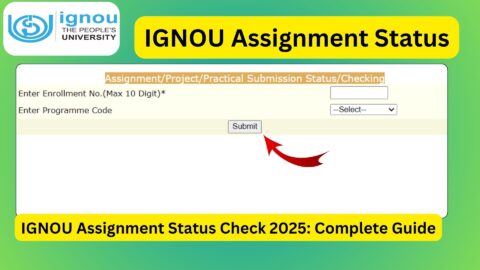
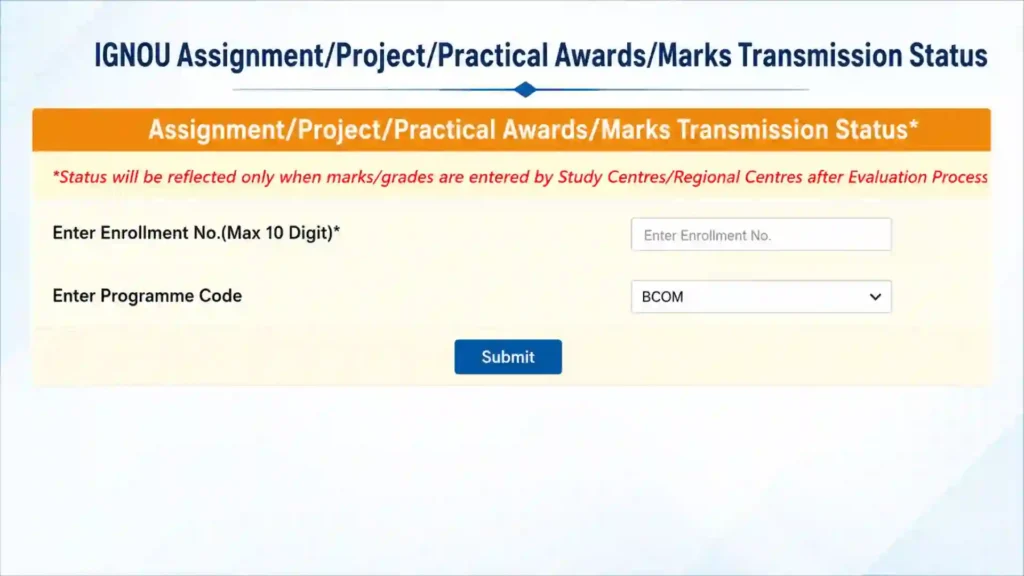
The portal allows students to check the latest status of submitted assignments by entering their enrollment number and selecting their programme code.
How to Check IGNOU Assignment Status Online?
Follow these simple steps:
Step 1
Visit the official IGNOU Assignment Status portal:
https://isms.ignou.ac.in/changeadmdata/StatusAssignment.asp
Step 2
Enter your Enrollment Number correctly.
Step 3
Select your Programme Code from the drop-down list.
Step 4
Click on the Submit button.
Step 5
Your assignment status will appear on the screen if the records are available.
The portal requires your enrollment number and programme code to retrieve assignment information.
Information Displayed in IGNOU Assignment Status
Once your assignment details are available, the portal may display:
- Student Enrollment Number
- Programme Name
- Course Code
- Assignment Submission Status
- Assignment Processing Status
- Marks Upload Status
- Updated Records
The displayed information helps students confirm that every submitted assignment has been properly recorded.
Different Assignment Status Messages and Their Meaning
Students may notice different status messages while checking the portal. Below are the most common ones.
Received to be Processed
This indicates that IGNOU has received your assignment information and it is waiting for processing.
Received and In-Process
This means your assignment data is currently being processed by the university.
Check Grade Card Status for Detail
This indicates that your assignment has already been processed and the marks have likely been transferred to the Grade Card.
Assignment Status Not Found
This message usually means:
- Assignment data has not yet been uploaded.
- Recently submitted assignments are still pending.
- Incorrect enrollment number was entered.
- Wrong programme code was selected.
- Processing is still underway.
How Long Does IGNOU Take to Update Assignment Status?
There is no fixed timeline for updating assignment records. The status depends on:
- Submission date
- Study Centre
- Regional Centre
- Evaluation progress
- Upload of assignment marks
Students should understand that assignment status is not updated immediately after submission. It may take several weeks before the records appear online.
Assignment Status vs Grade Card
Many students confuse Assignment Status with the Grade Card. However, they are different.
| Assignment Status | Grade Card |
|---|---|
| Shows submission progress | Shows final marks |
| Indicates processing stage | Displays assignment and theory marks |
| Updated after submission data is uploaded | Updated after evaluation is completed |
| Helps verify assignment receipt | Helps verify overall academic performance |
Students should regularly check both portals after completing assignments.
What If Assignment Status Is Not Updated?
If your assignment status is not showing, you should:
- Wait for the university to upload the records.
- Check that you entered the correct enrollment number.
- Verify the selected programme code.
- Keep your assignment submission receipt safely.
- Contact your Study Centre if the status remains unavailable for an extended period.
- Contact your Regional Centre if required.
Do not panic if the portal does not update immediately after submission, as updates are often processed in batches.
Tips While Checking Assignment Status
Keep these points in mind:
- Always use the correct enrollment number.
- Select the correct programme code.
- Check the portal periodically.
- Save your submission acknowledgement.
- Verify every course separately if required.
- Ensure all assignment marks appear before relying on your final academic records.
Common Reasons for Delay
Some common reasons behind delayed assignment status include:
- Large number of assignments under evaluation.
- Delay in uploading records from Study Centres.
- Regional Centre verification process.
- Ongoing evaluation by examiners.
- Technical maintenance of the portal.
- Data synchronization between different IGNOU systems.
Such delays are common during peak examination sessions.
What to Do If Some Subjects Are Missing?
Sometimes students notice that only a few courses appear while others are missing.
In such cases:
- Wait for additional updates.
- Compare your submitted assignments with the displayed records.
- Keep copies of all assignments and acknowledgement slips.
- Contact your Study Centre if missing courses are not updated after a reasonable period.
Can Assignment Marks Change?
Yes.
If there is any correction during evaluation or data updating, assignment marks may change before the final Grade Card is updated.
Students should therefore keep checking both the Assignment Status portal and the Grade Card until all records become final.
Important Precautions
While checking assignment status:
- Never share your enrollment number publicly.
- Always use the official IGNOU portal.
- Keep digital copies of submitted assignments.
- Save screenshots whenever the status is updated.
- Preserve your acknowledgement receipt until your degree is completed.
FAQ about IGNOU Assignment Status
What is IGNOU Assignment Status?
It is an online facility that allows students to check whether their submitted assignments have been received, processed, and updated by IGNOU.
Where can I check IGNOU Assignment Status?
You can check it here:
https://isms.ignou.ac.in/changeadmdata/StatusAssignment.asp
What details are required to check the status?
You need:
Enrollment Number
Programme Code
Is the Assignment Status available for all programmes?
Yes. The portal is available for students enrolled in various IGNOU programmes whose assignment records have been uploaded.
What does “Received and In-Process” mean?
It means your assignment has been received and is currently under processing.
Why does my status show “Not Found”?
This may happen because the records have not yet been uploaded, the information entered is incorrect, or the processing is still pending.
How often should I check my assignment status?
You may check periodically until all your submitted courses and marks are reflected.
Can I appear in the examination if my assignment status is not updated?
The online status may not update immediately even if your assignment has been submitted. Keep your submission acknowledgement safe and contact your Study Centre if necessary.
What should I do if some assignment marks are missing?
Wait for the next update. If the marks remain unavailable after sufficient time, contact your Study Centre or Regional Centre with your submission proof.
Is the Assignment Status different from the Grade Card?
Yes. Assignment Status shows the progress of assignment processing, while the Grade Card displays your final assignment and theory marks.
Conclusion
The IGNOU Assignment Status portal is an important online service that helps students monitor the progress of their submitted assignments. Regularly checking the portal ensures that your assignments have been received, processed, and uploaded correctly before the declaration of final results.
Always use the official Assignment Status portal, enter your enrollment number and programme code carefully, and keep your assignment submission receipt until your marks appear in the Grade Card. If your status is delayed, remain patient and contact your Study Centre or Regional Centre only after allowing sufficient processing time, as updates are completed in stages by the university.